

Sales in 3 Seconds
Sell instantly from the counter without opening a table; scan the barcode, tap, and done.
Server Tray
The cart is on the server; even if the screen changes, it won’t disappear — it can be billed and shared.
Single Payment Engine
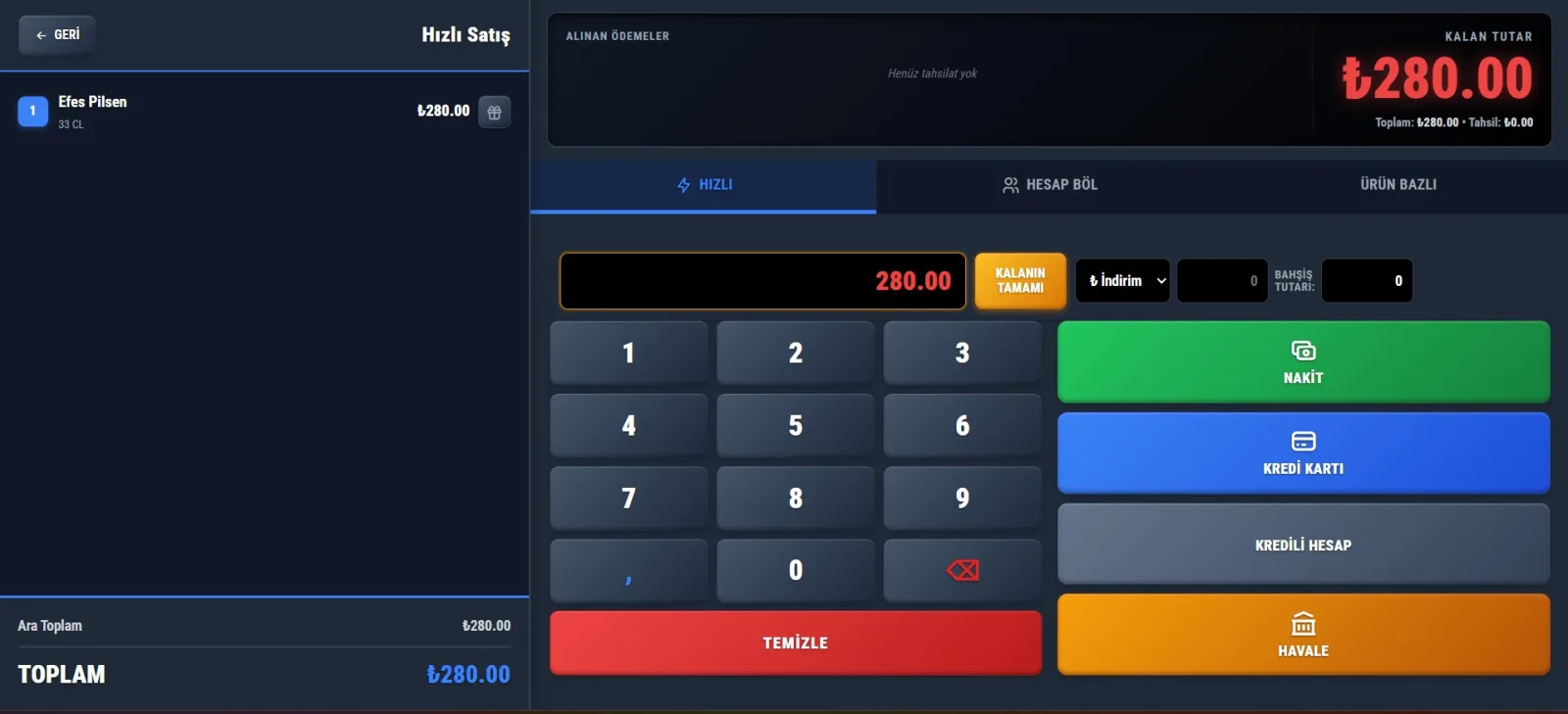
Same collection options on the table screen: discount, tip, split bill, credit, transfer.
Bar Redirect
It is sent to the cocktail/draft bar as a prep ticket; fulfillment does not break.
Hold & Waiting Orders
"Keep my money in the wallet" → hold it, move to the next one, then call it back later.
Tabbed Single Screen
Table POS + Quick Sales + Kitchen in a single window with tabs.
Some businesses are not just a "table": a terminal buffet, a beach bar, a canteen… There is both a seated customer and someone taking items from the counter to go. ZeyPOS Fast Sales makes a sale in 3 seconds without opening a table — but when needed, it sends the order to the bar, prints the slip, and takes payment with the same engine as the table screen.
No table-opening burden — sales in 3 seconds
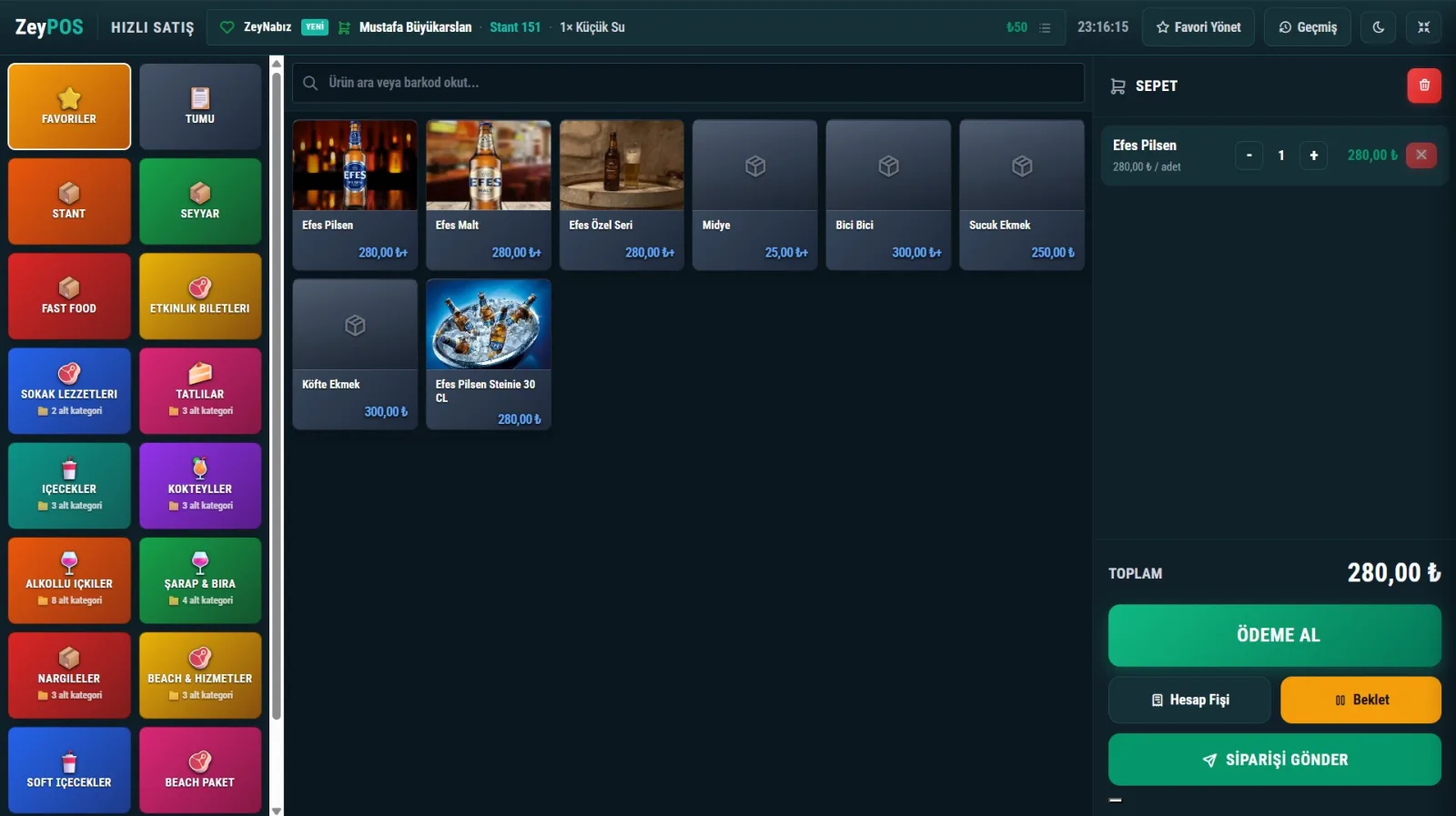
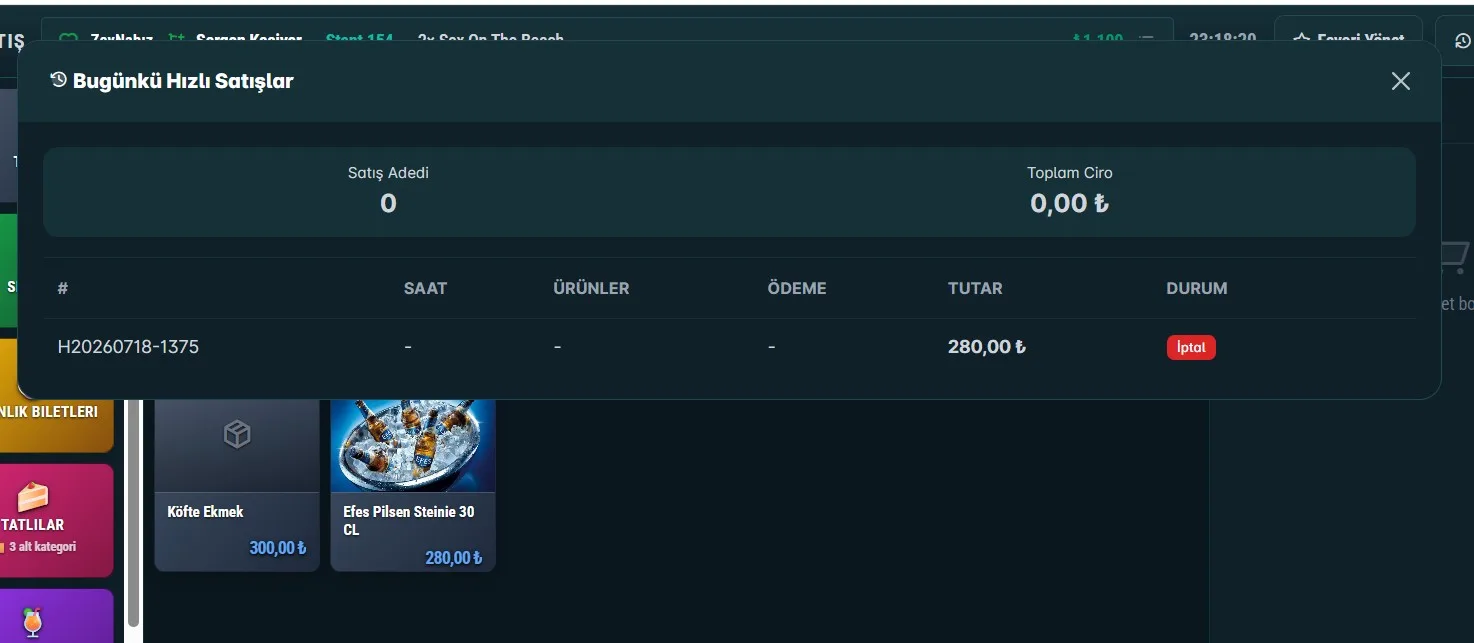
As soon as the screen opens, favorites and the product grid appear; the cashier does not choose a table. Tap the product, it falls into the cart; scan the barcode, it is added directly. In the background, an automatic hidden "box" (server-side order) that the cashier never sees is kept.
The cashier does not open a table (a box opens in the background), does not choose a printer (the category routes it), and does not think about what to print on the slip ("Fast Sales" appears automatically). Complexity stays in the background, the screen stays simple — usable without training.
Busy bars raise the revenue ceiling
In a busy bar, the cashier is the single point of failure: if every transaction is blocked until payment is completed, the queue builds up. Fast Sales solves this:
- The cashier is not locked during payment — the queue flows
- Cocktail / draft beer orders drop as a bar preparation slip, and the bar prepares them immediately
- "My money stayed in my wallet" → Hold → next customer → when you return, recall with one touch from Waiting
The cart is now on the server — it does not disappear
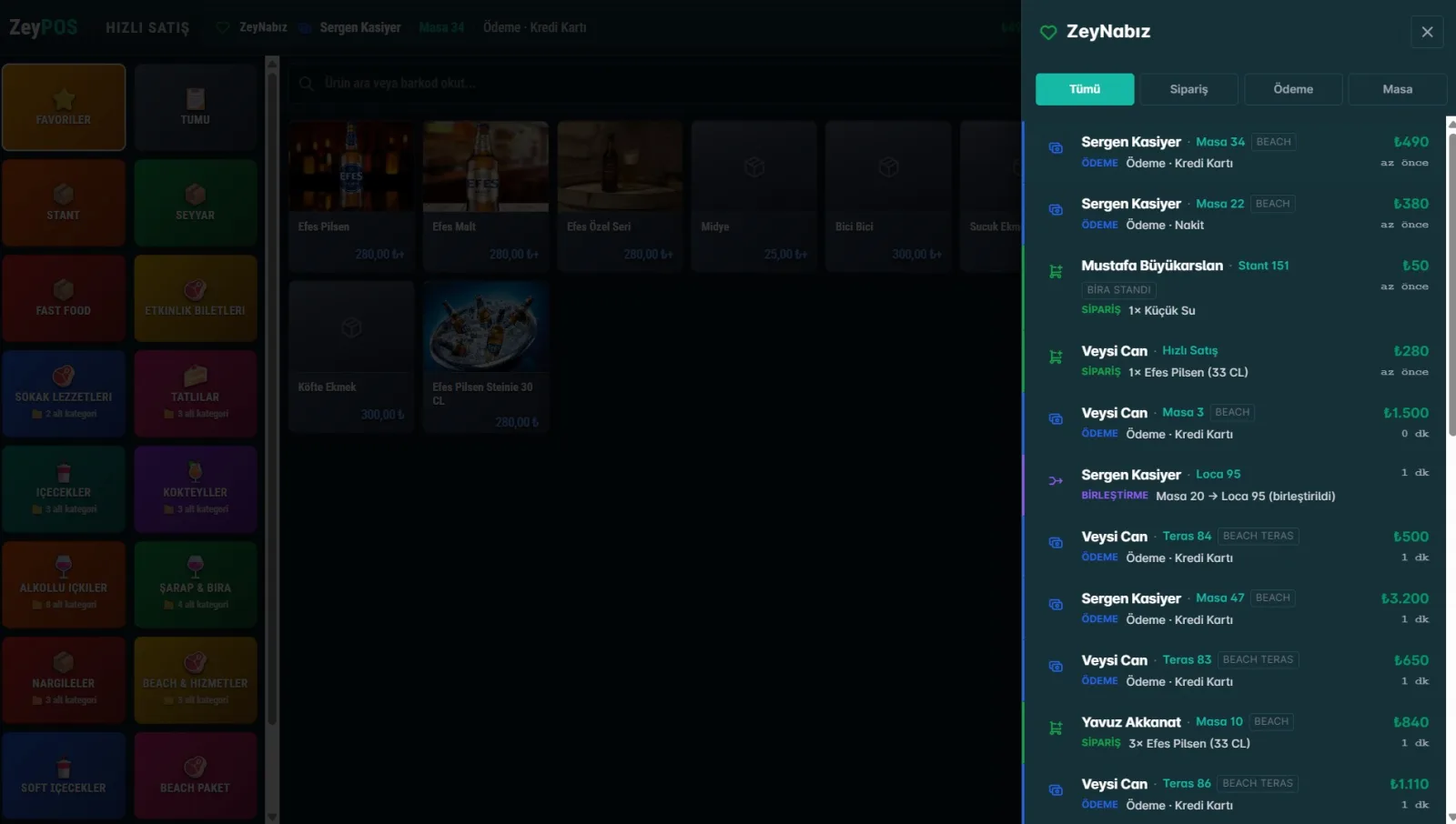
The old "put on hold" feature was in browser memory: fragile, not shareable, and could not be printed. Now the box is stored on the server — it does not disappear when the screen changes, it can be printed, and two cashiers can see the same box.
Payment, the SAME engine as the table screen
When you press COLLECT PAYMENT, the exact same payment screen used by the waiter at the table opens. Not a parallel system — one engine:
- Numpad, discount, tip, Split Bill, Product-Based collection
- Cash · Credit Card · Meal Card · Credit Account · Bank Transfer
- Whatever is on the table is also in fast sales — without extra code
The order goes to the bar, and both slips print from the correct printer
The bar is a preparation station. Entered products go to the right place according to their category: cocktail to the bar printer, lighter nowhere. The customer receives a debt/collection slip, the bar receives a preparation slip — both are routed to different printers and the correct cash desk.
Favorites on the opening screen
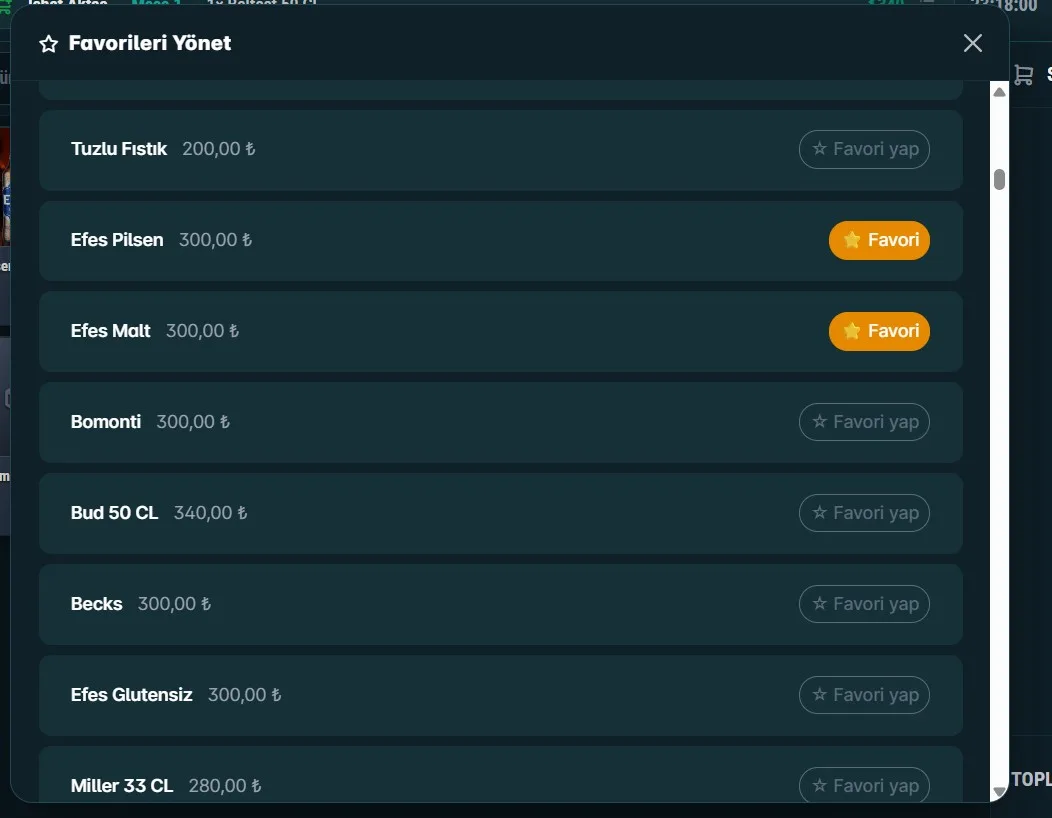
In a crowded night, the top three to five best-selling products are the backbone of the evening. The cashier does not search for them among categories — Favorites are on the opening screen. Long-press a product to add/remove as a favorite; with "Manage Favorites," organize them in bulk without searching.
Which product appears where? — Channel system
For each product, you choose "where it will appear": both (tea, cola), fast sales only (lighter, gum, toy), or table only. This way, buffet items appear on the waiter/table screen and are not added by mistake. It can be changed with one click from the admin panel.
One screen, tabbed — two business models in one window
The strongest part of the module: the cashier program and fast sales live in tabs in the same window. The cashier does not open and close programs, just switches tabs:
- Table POS — seated customer, waiter flow, table management
- Fast Sales — instant sales from the counter/bar
- Kitchen — preparation screen
The passenger buys water from the counter (Fast Sales, 3 sec) → shortly after sits down and orders breakfast (Table POS) → all on one cash register, one report. Not two worlds, one cash register.
Before / After
| Konu | Önce | Sonra |
|---|---|---|
| Tezgahtan satış | Masa aç → adisyon → sat | Dokun → tahsil → bitti (3 sn) |
| Sepet | Tarayıcı hafızası (kaybolurdu) | Sunucu kutusu (kalıcı, fişlenir) |
| Ödeme | Ayrı/yarım ekran | Masa ekranının aynı motoru |
| Bara sipariş | Gitmiyordu | Kategori yönlendirme ile |
| Fiş | Çıkmıyordu | Borç + tahsilat fişi |
In summary, the Fast Sales Panel
- Sales in 3 seconds without opening a table
- Non-disappearing server cart + always a slip
- The same collection engine as the table screen
- Bar routing + two slips, correct printer/cash desk
- Hold & Waiting + favorites on the opening screen
- Table POS + Fast Sales + Kitchen in one tabbed screen
Get the App
Screenshots
Changelog
- Persistent server basket
- Payment engine of the table screen
- Bar routing + two receipts
- Hold & Waiting Orders
- Favorites home screen
- Tabbed single screen
Comments
Sign in to comment. Real comments, real people.
Try ZeyPOS in your business
"Leave a request" is over — set it up in minutes with ZeyBOT.