
All Payment Methods
Cash, card, meal card, credit, bank transfer + split bill + item-based.
Protected Mode
Prevents accidental deletion on paid tables, requires refunds, and records them.
Live News Ticker
Recent transactions stream live; the cashier catches amount errors instantly.
Cash Register Advisor
It analyzes cash shortages with AI and tells you where to look.
Secure Shift
Shortage/excess detection + mandatory explanation; closing cannot be undone.
Z Report & End of Day
Revenue, channel, payment method, and cash register-based variance on a single screen.
Credit Account
Credit debt tracking, collections, transfers between accounts.
Manager-Approved Rollback
Safely reopen a closed table with a password + manager approval.
The cashier is where a business’s money changes hands — and there, speed is as vital as accuracy. ZeyPOS Cashier Panel takes payments in seconds; but it protects every cent, records everything, and shows the business’s pulse live. On a single screen: the entire cash desk operation, from table payments to accounts on credit to end-of-day closing.
All the business on a single screen
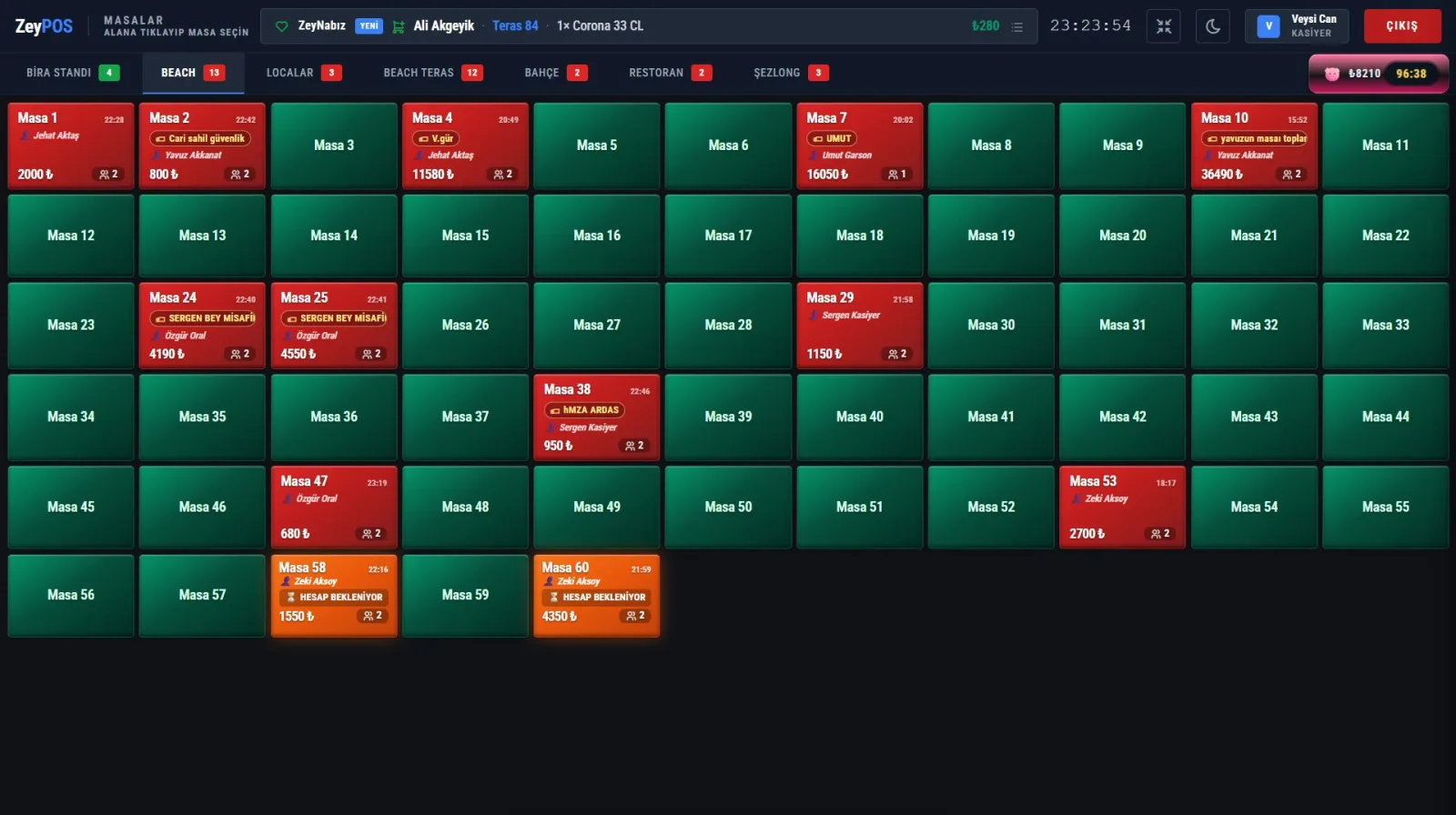
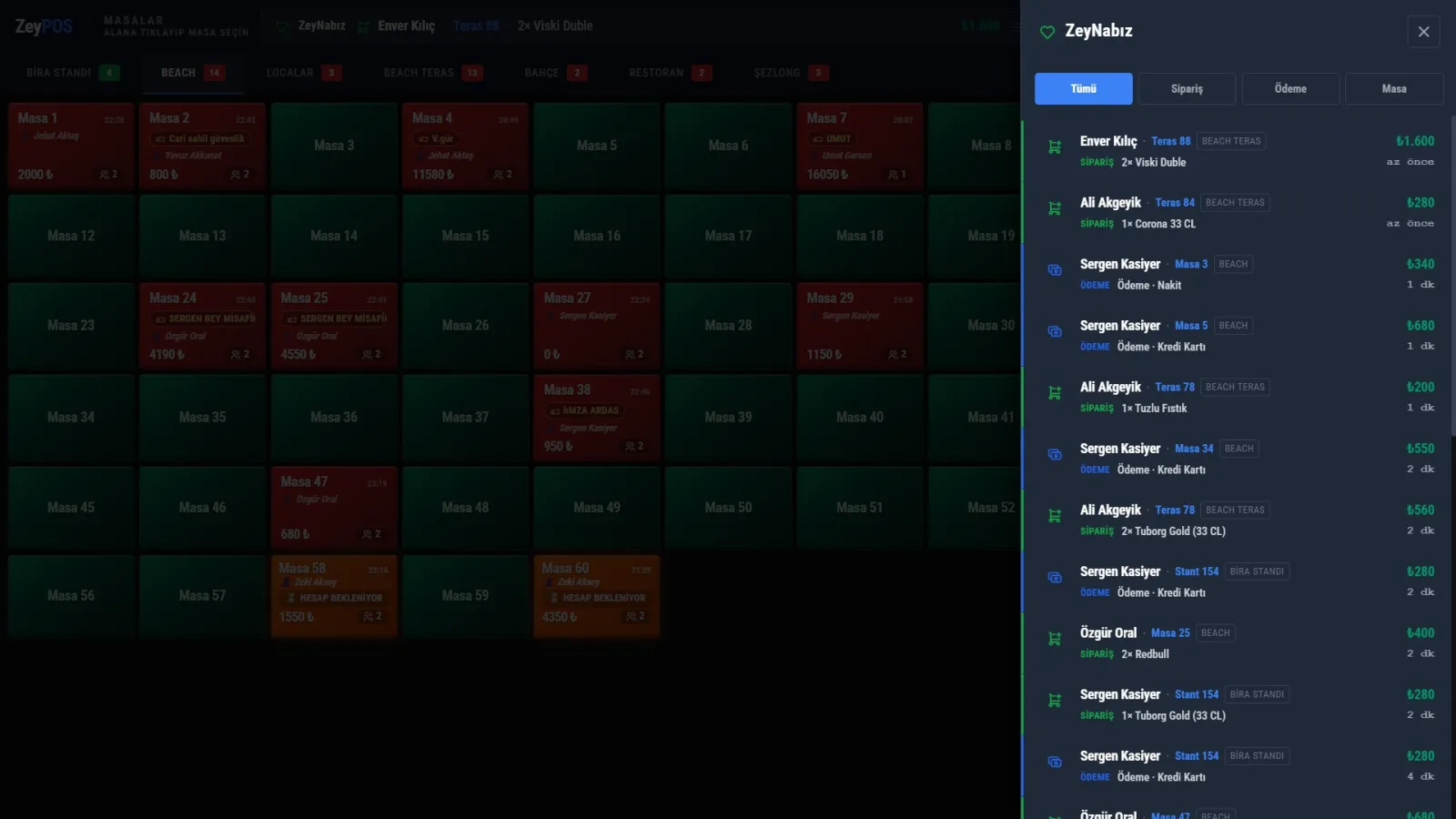
Touchscreen kiosk interface, dark theme, a color-coded table grid arranged area by area. The cashier sees everything at a glance:
- Areas are tabbed: Beer Stand, Beach, Terrace, Garden, Restaurant, Sunbed…
- Color code: empty, occupied, bill pending — the status of every table is instantly clear
- Table amount, number of guests, and open duration on the card
- Live transaction ribbon and clock at the top
Every payment method, in seconds
Every collection tool the cashier needs is on the same screen, just a few taps away. And this is the exact same collection engine used by the waiter at the table — not a parallel system, but one engine:
- Cash · Credit Card · Meal Card · Credit Account · Bank Transfer
- Split Bill (per person) and Item-Based collection
- Numpad, discount, and tip
- Whatever is available at the table is also here — no extra code needed
Protected Mode — protects money from mistakes
If someone tries to delete an item from a table with a partial payment already collected, the system detects the financial inconsistency and quietly prevents it from being applied:
"200 TL has been collected from this table. To continue, a 50 TL refund must first be completed."
Nothing is finalized until the refund flow is completed (atomic transaction). Every deletion is written to the audit log with who, what, reason, and amount. The uncertainty of "I deleted it, but the money stayed in the drawer" is over.
Live News Feed — the pulse of the business
In the top bar of the cashier screen, recent transactions scroll live: new order, payment, complimentary item, cancellation, table transfer/merge. Two-layer benefit:
- Awareness: the cashier instantly sees what is happening in the business right now
- Control: because the amount is visible instantly, errors are caught and every event leaves a trace
- Click the ribbon → filtered list (Order / Payment / Table); click a row → go to that table
- If the same waiter repeatedly cancels, the row shows a ⚠ "repeated" warning
The ribbon is passive information flow; critical alerts that require action stay in their own channel with sound and vibration — one does not drown out the other.
Shift and cash closing — shortages and overages are caught instantly
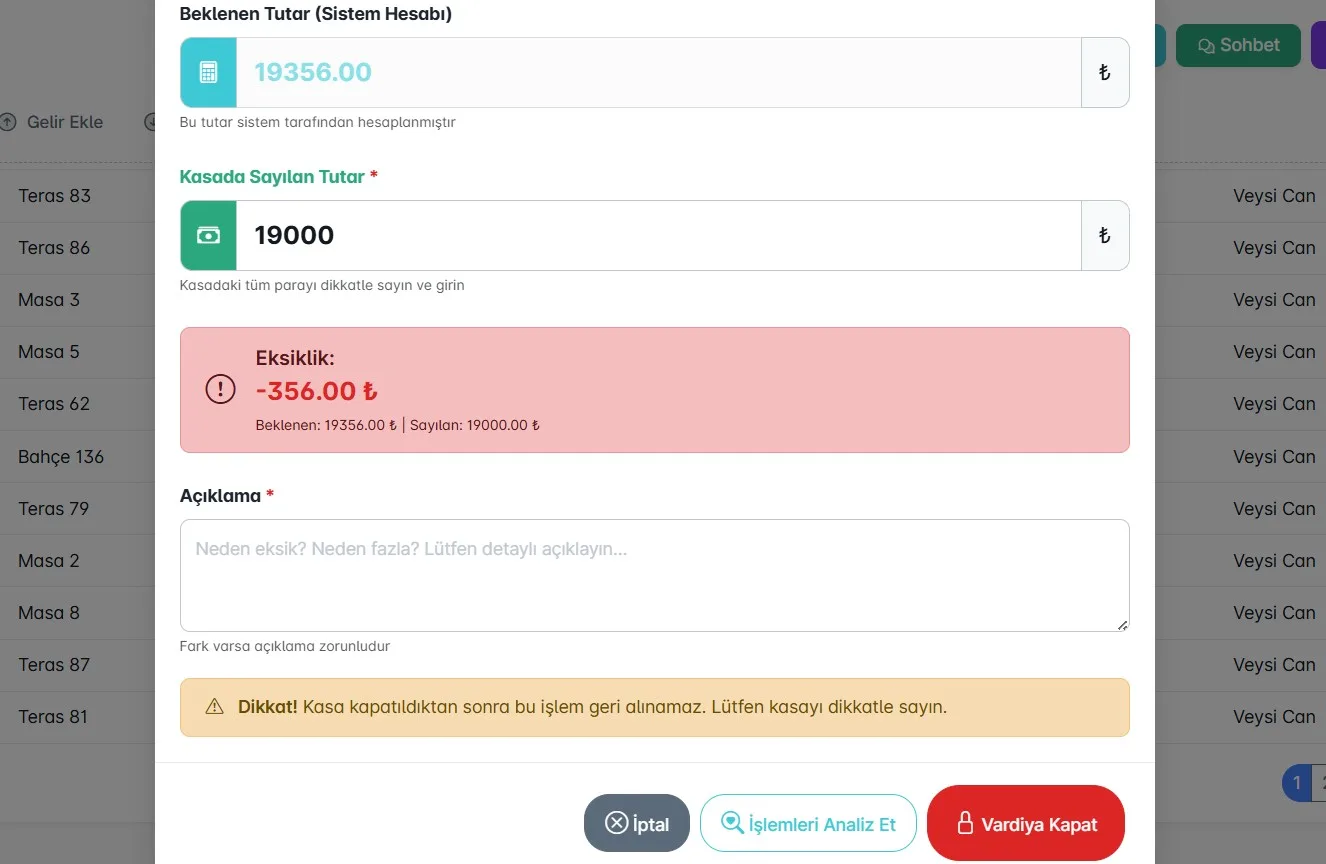
When closing a shift, the system calculates the expected amount and number of receipts (cash, credit card, on account, bank transfer); the cashier enters the amount counted in the drawer:
- The system immediately shows the difference between expected and counted amounts (short/over)
- If there is a difference, an explanation is required — no closing without a reason
- Closing cannot be undone; it is protected with warnings
Cash Desk Advisor — resolve shortages with AI
When the cash doesn’t balance, ZeyPOS doesn’t make you panic, it guides you:
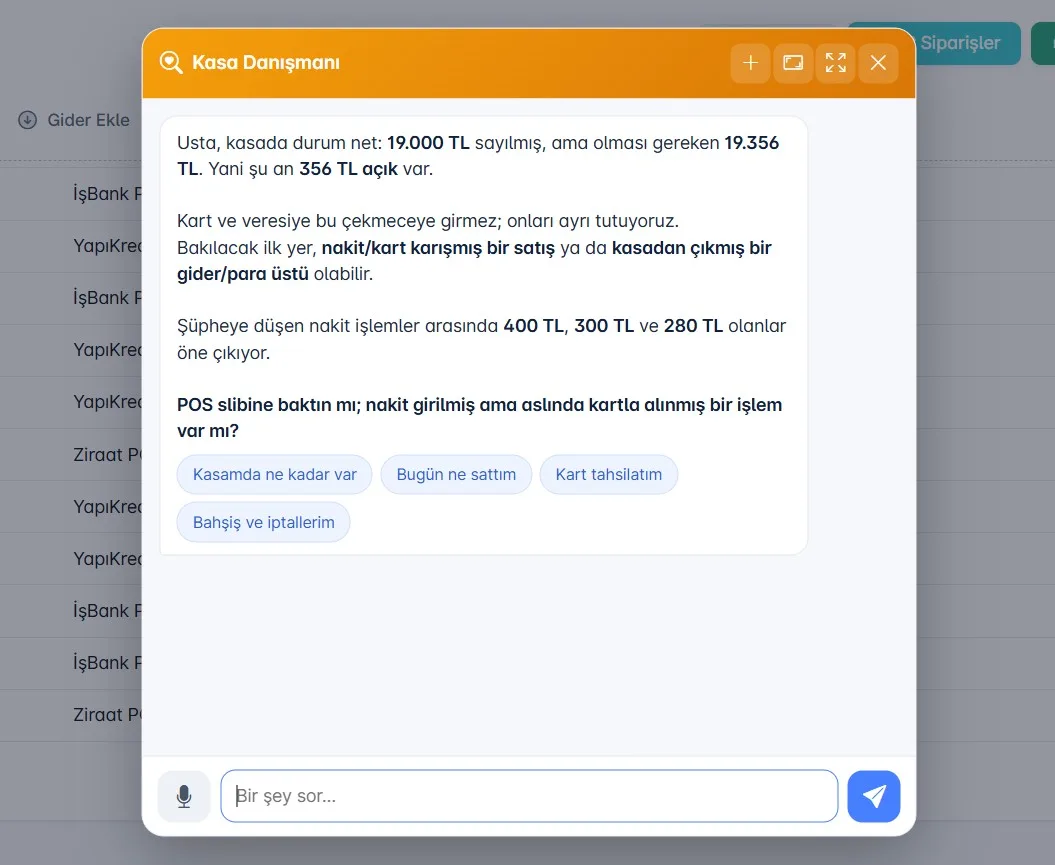
"Boss, there is a 356 TL shortage in the cash drawer. Card and credit sales do not go into the drawer. First place to check: a sale where cash/card may have been mixed up. Suspicious cash transactions: 400, 300 and 280 TL. Check the POS slip — is there a transaction entered as cash even though it was actually paid by card?"
AI tells you where the shortage may be coming from by looking at real transactions; it saves the cashier from spending hours sorting through receipts.
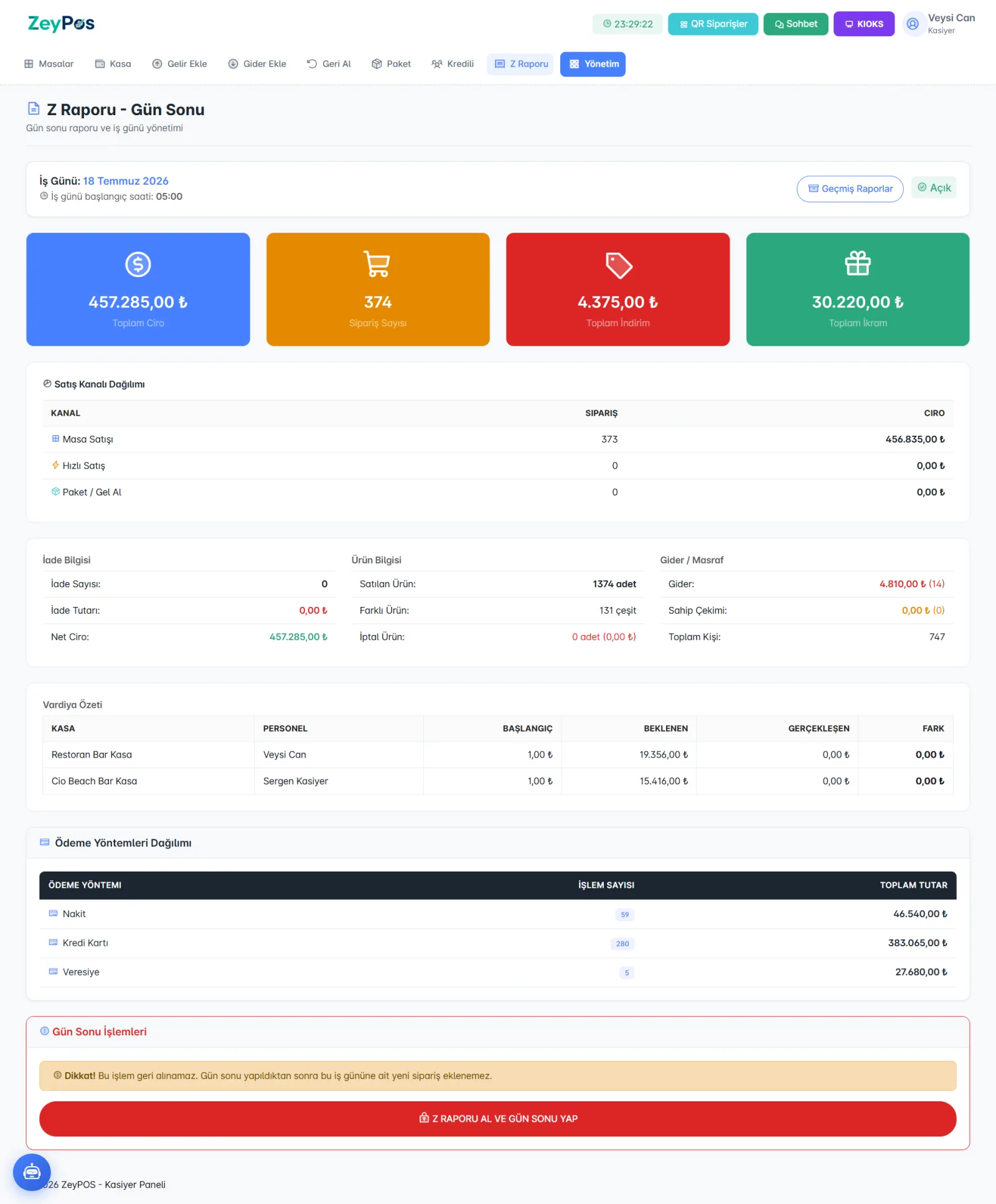
Z Report and end of day
At the end of the day, the full picture on one screen: total turnover, number of orders, discounts, complimentary items, refunds, and net turnover. Also:
- Sales channel breakdown: table, fast sale, takeaway separately
- Payment method breakdown: cash / card / on account
- Shift summary: expected, actual, and difference for each cash register
- Business day management — cutoff time according to the business (e.g. 05:00)
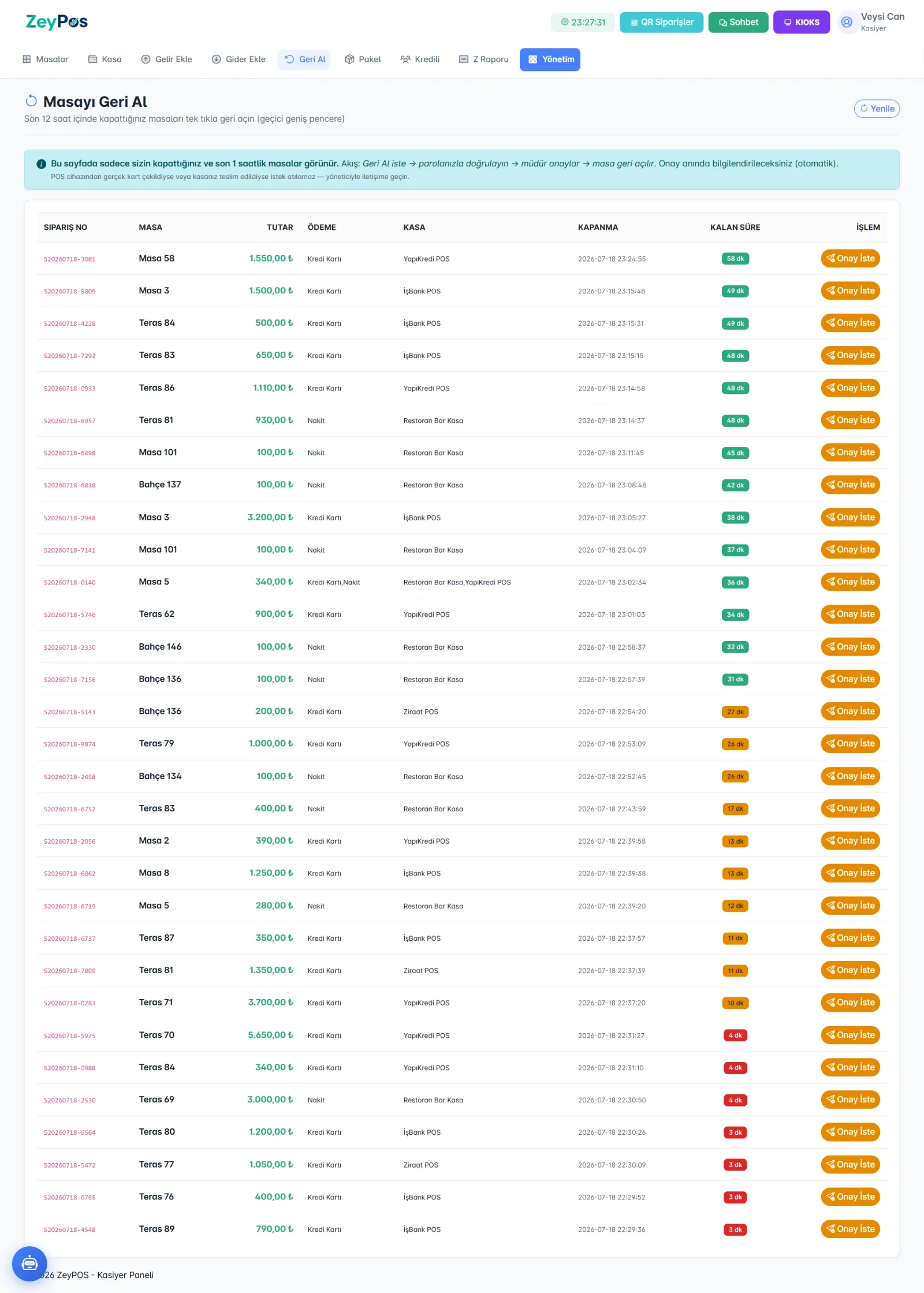
Take the table back — manager-approved, secure
Was a table accidentally closed? The cashier can see closings from the last 12 hours and reopen it with manager approval:
Request Reopen → verify with your password → manager approves → the table is reopened.
If a real card was charged on the POS device or the cash was handed over, the request is blocked — no arbitrary reopening, every step is logged.
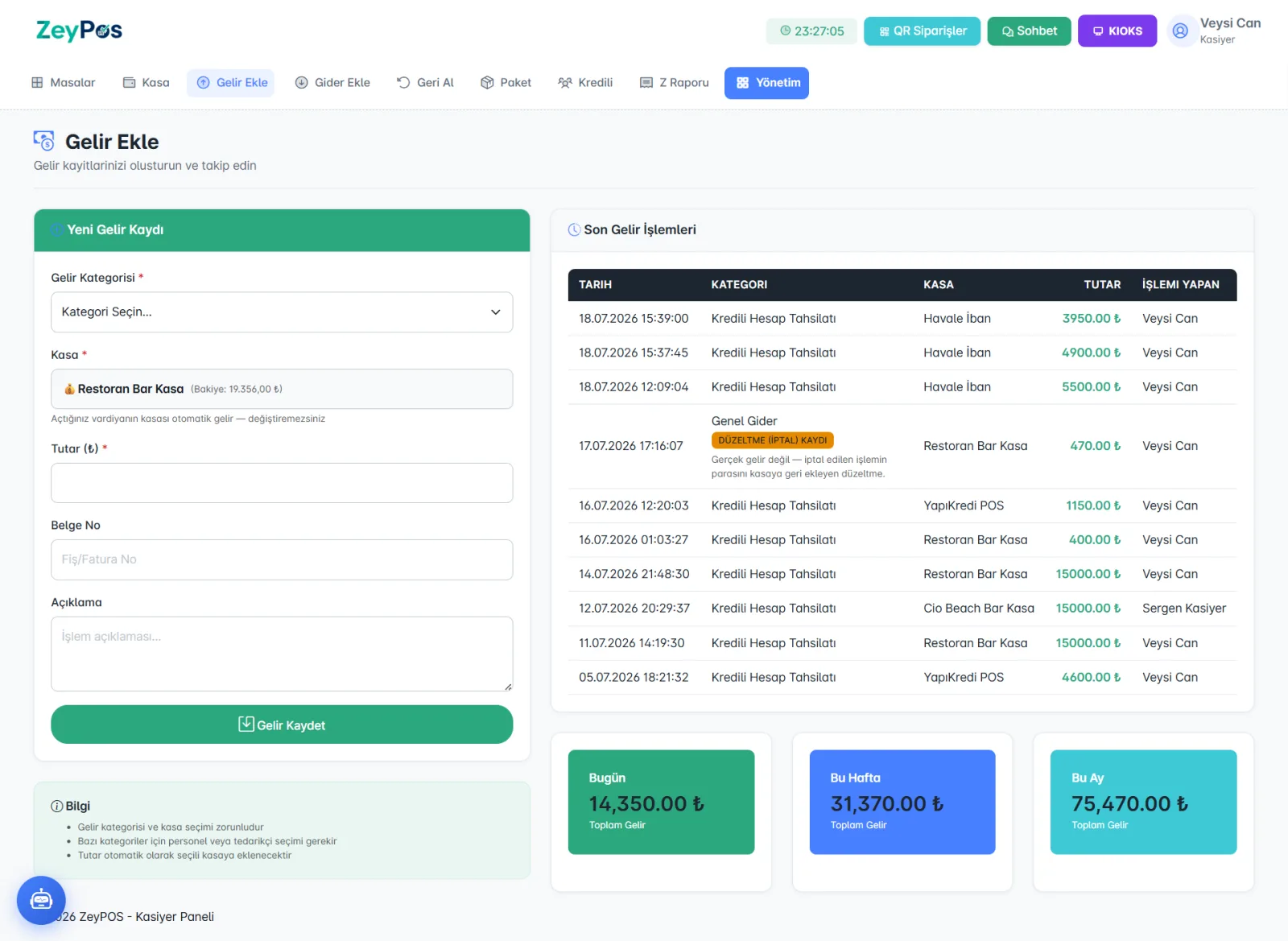
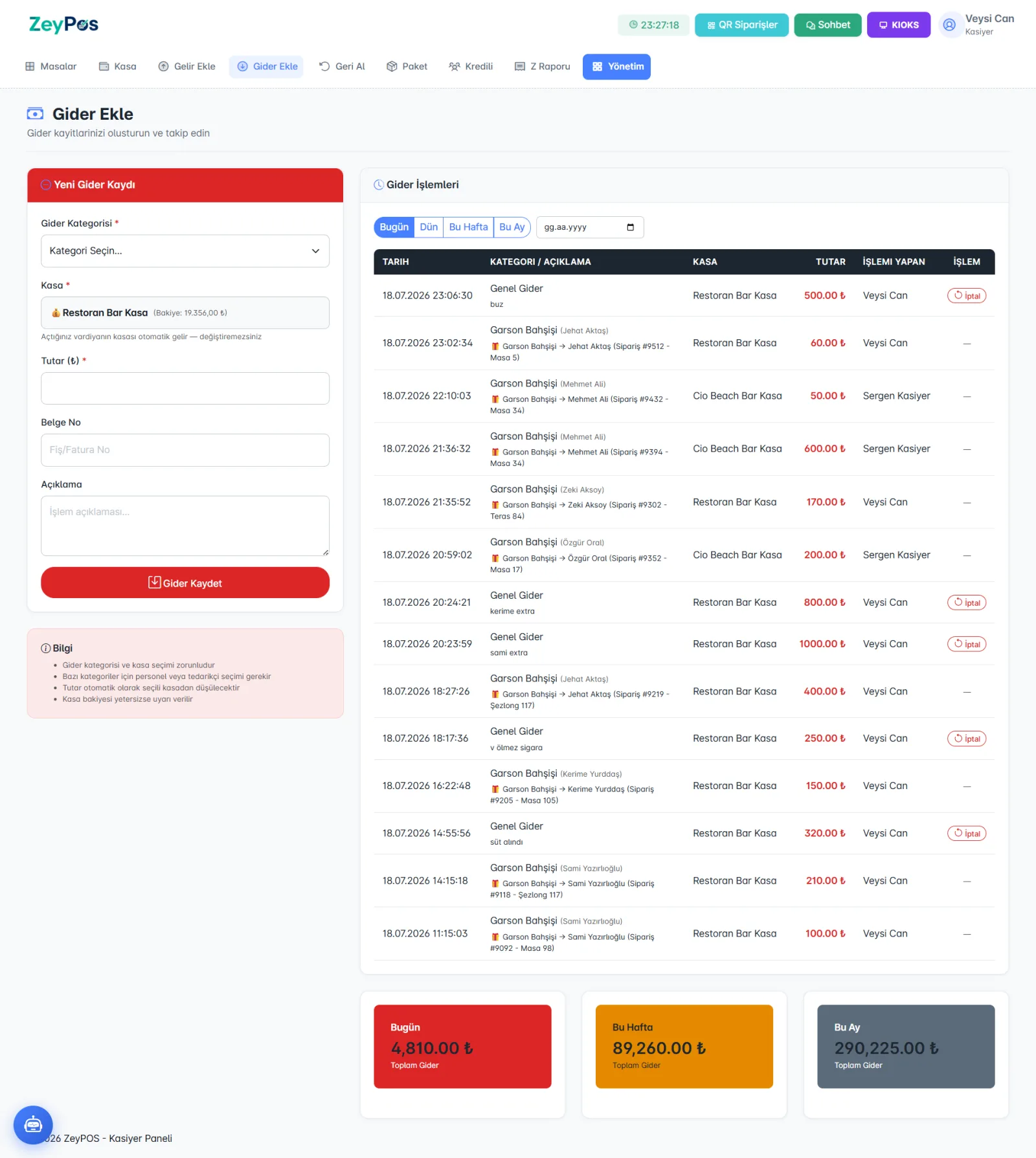
Income and expenses — cash movements always recorded
The cashier records every cent entering and leaving the cash drawer with a single touch:
- Income/expense categories; waiter tips are linked directly to the relevant staff member
- A canceled transaction is kept transparently as a "correction entry" — it does not appear as real revenue
- Today / this week / this month totals in real time
- The shift’s cash register is automatically selected — it cannot be posted to the wrong register
Credit account management
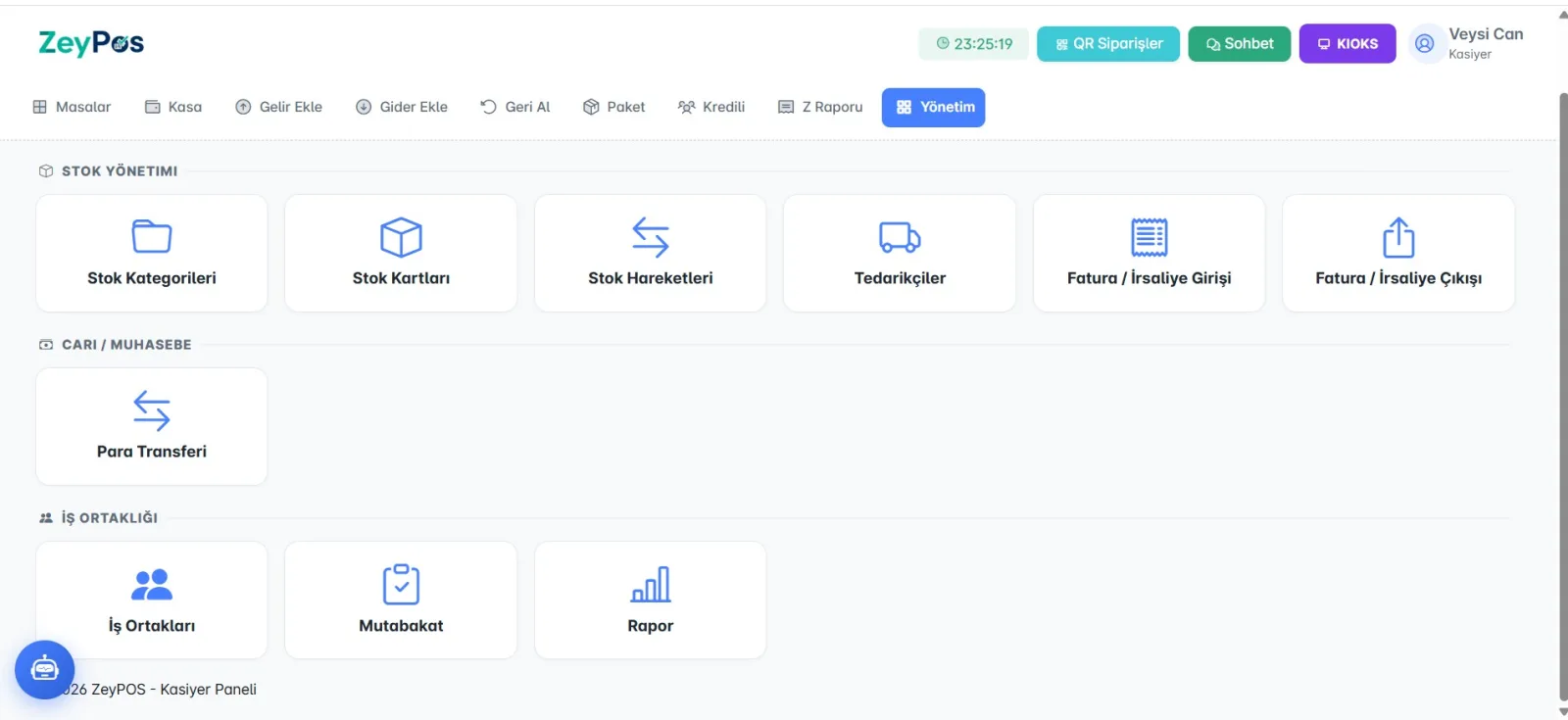
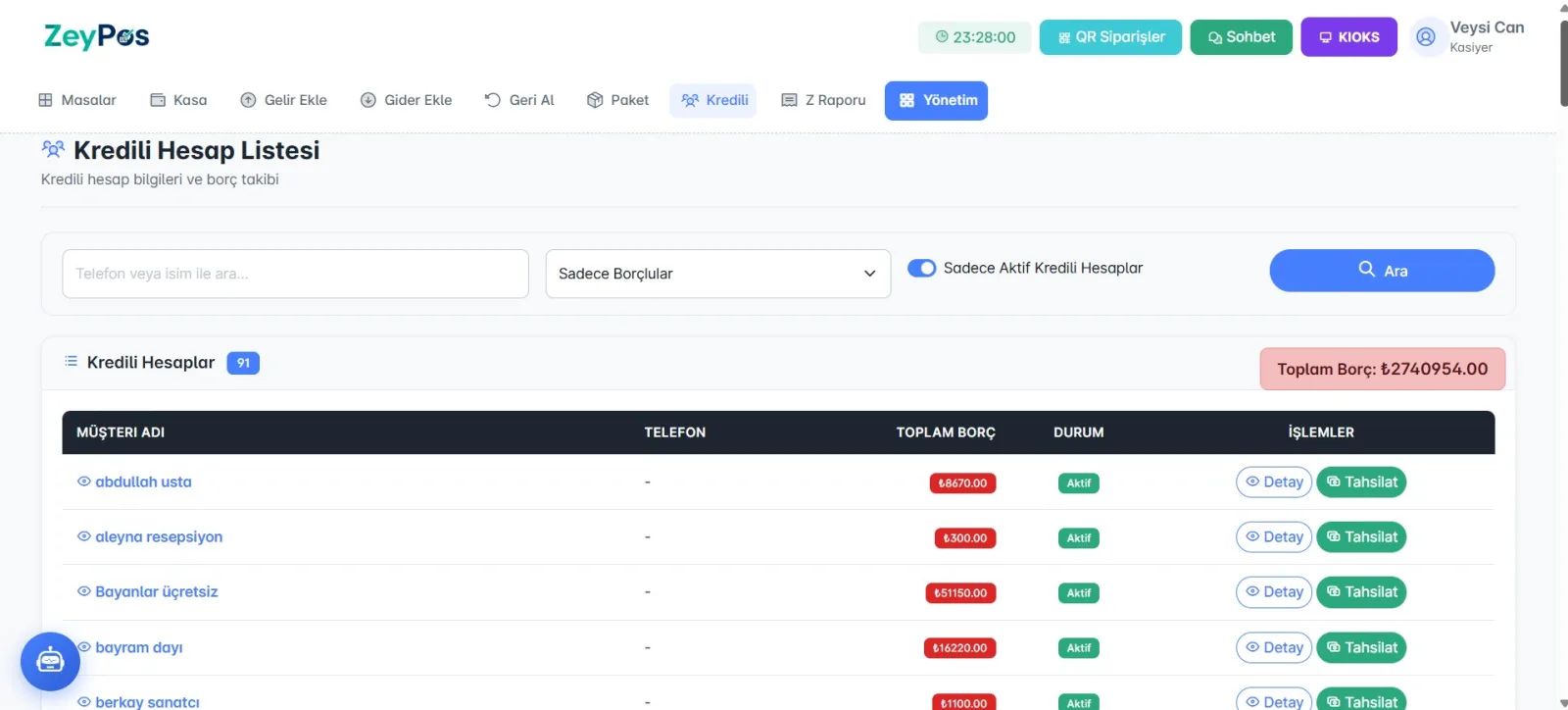
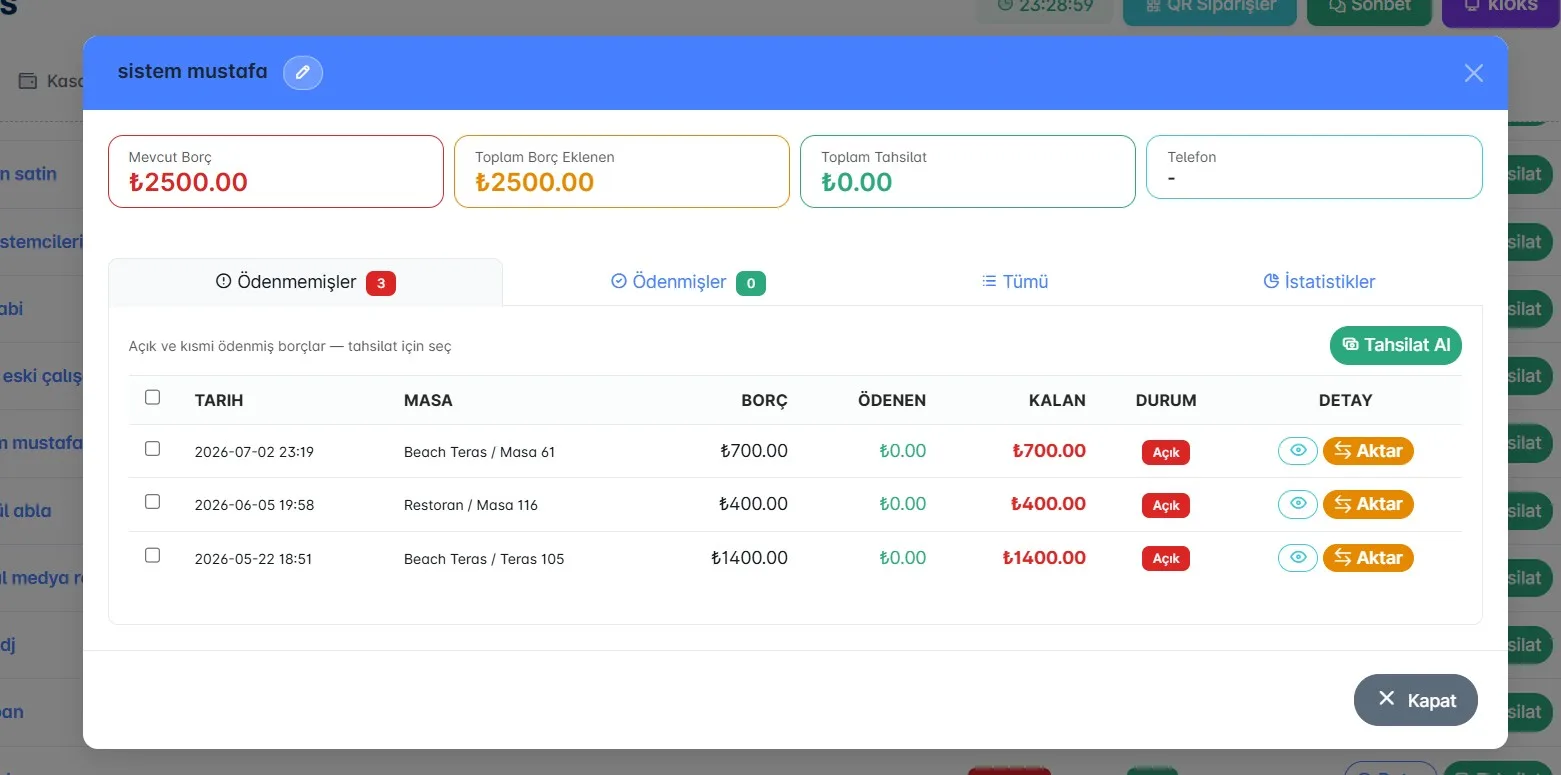
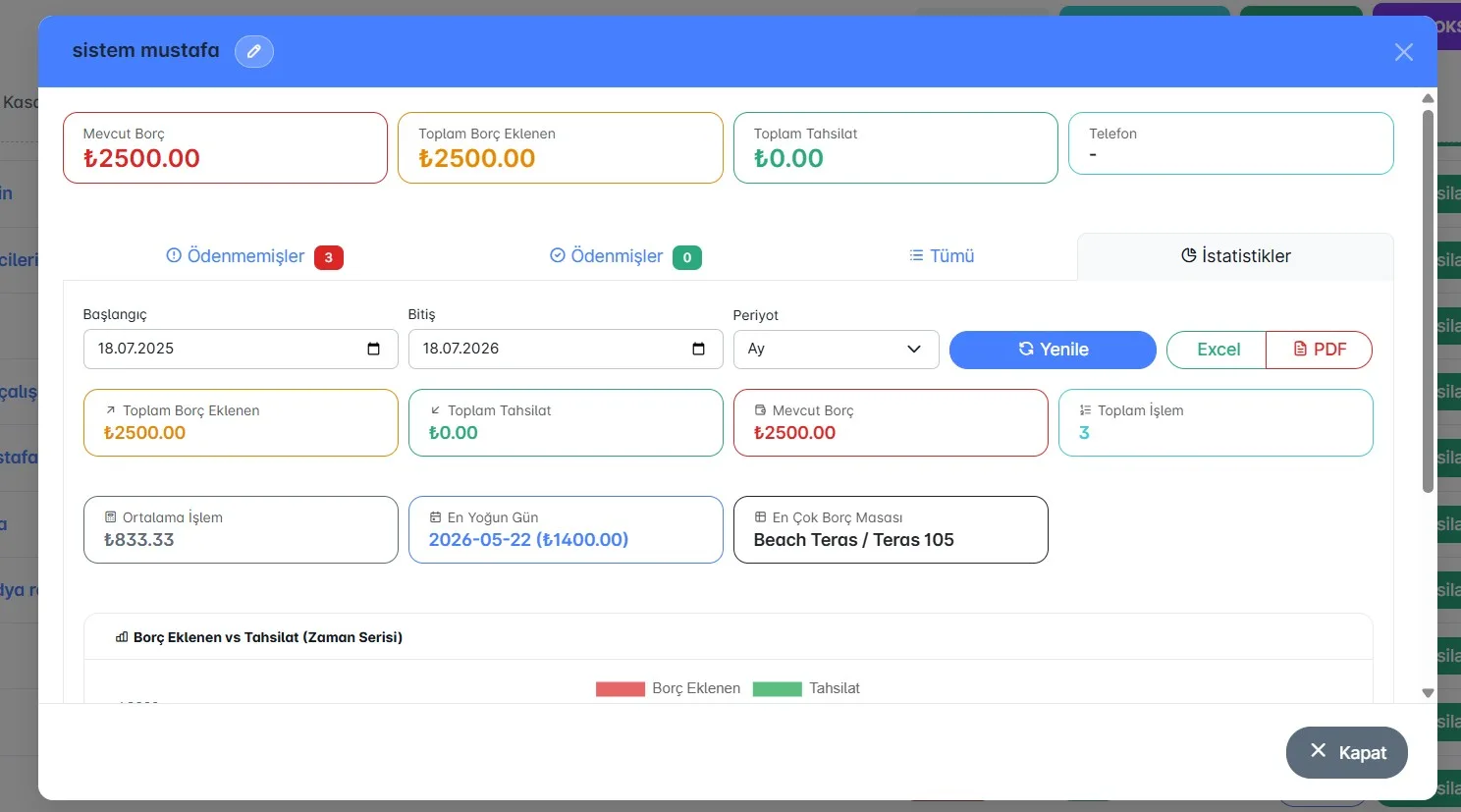
Full control for businesses working on credit: credit account list, debt tracking, collections, and debt transfers between accounts. Unpaid/paid breakdowns, statistics, and Excel/PDF export for each account are all together — the uncertainty of "who owes what" is gone.
Takeaway, QR, and waiter communication
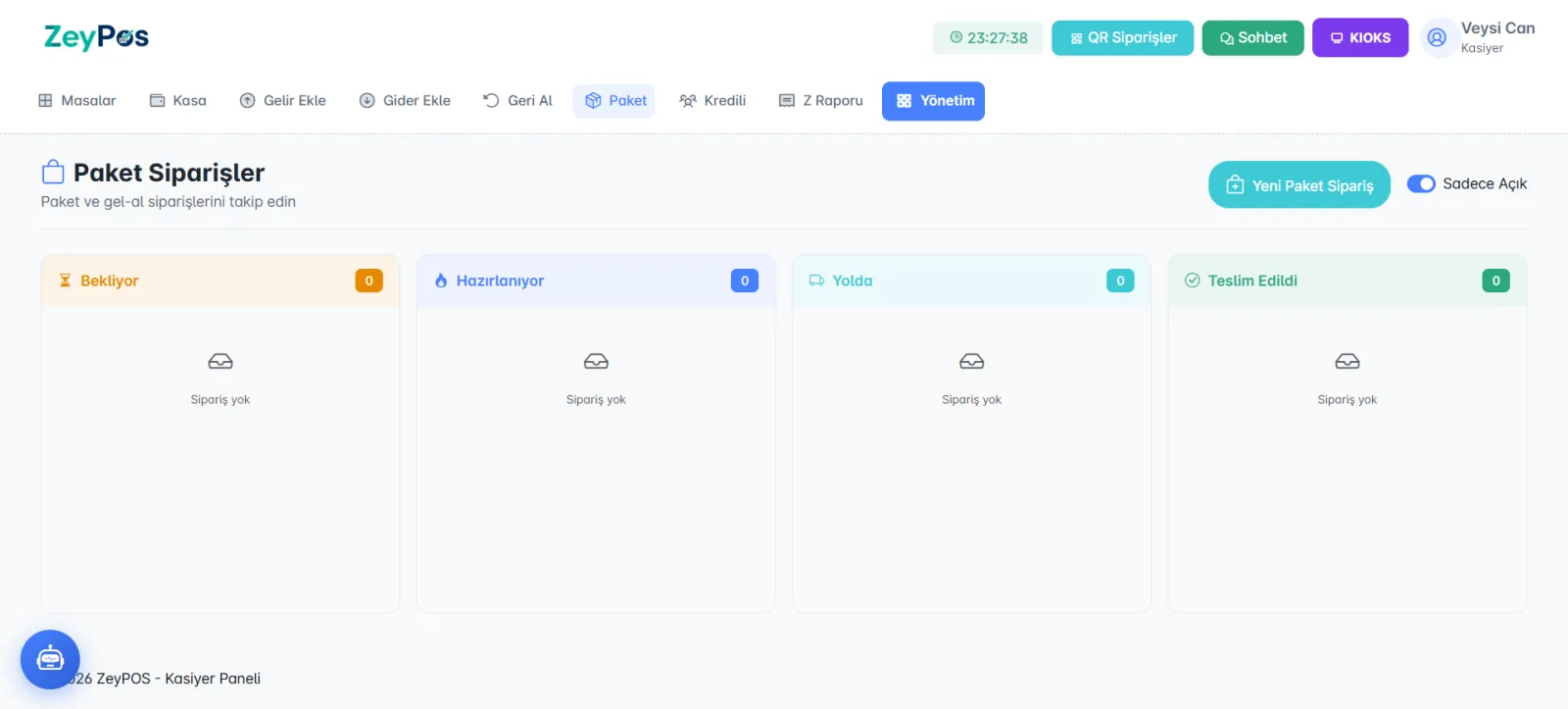
- Takeaway / Pick Up: Waiting → Preparing → On the Way → Delivered flow
- QR Orders: orders approved by the customer via QR + ban list
- Waiter Chats: instant messaging between cashier ↔ waiter
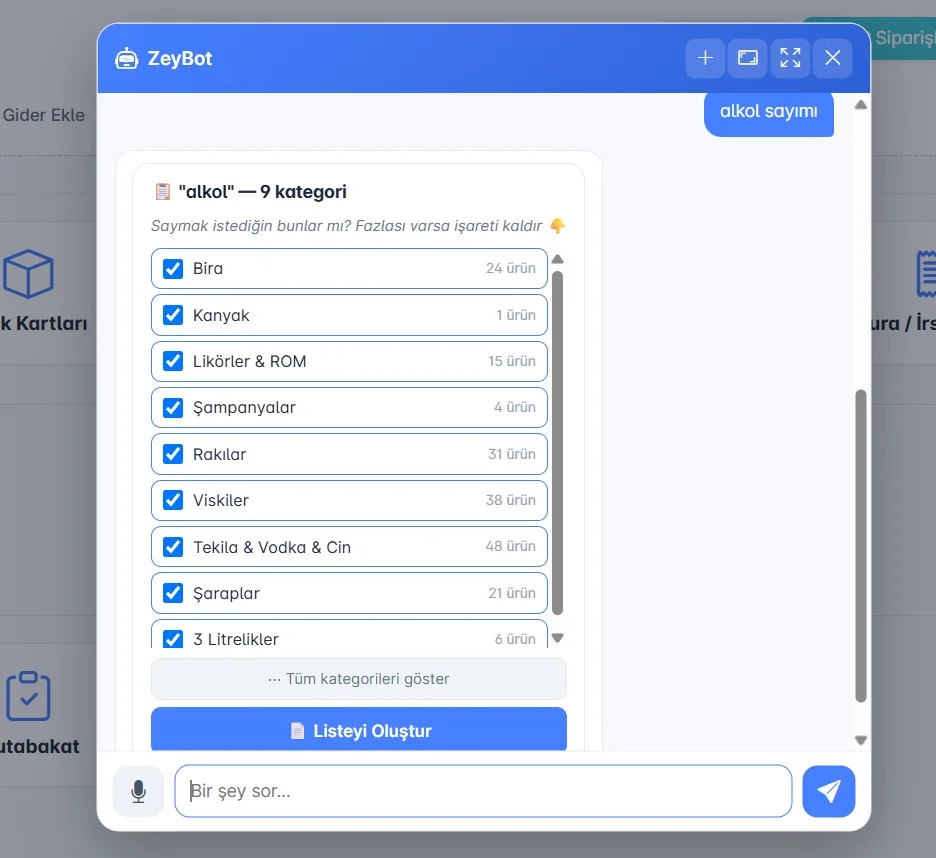
ZeyBot: ask the cash desk, get an answer
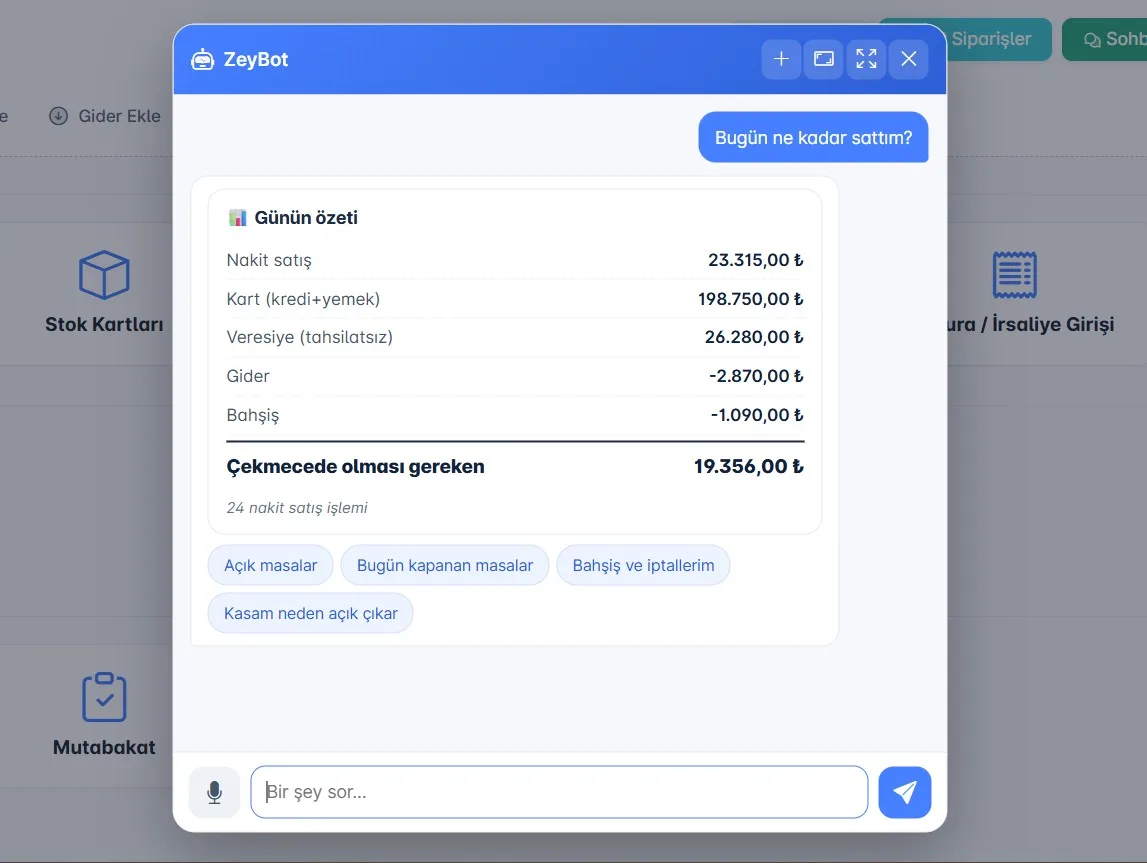
Ask, "How much did I sell today?" and ZeyBot will summarize the day: cash sales, card, on account, expenses, tips, and the amount that should be in the drawer. Open tables, those closed today, tips, and cancellations — all with one question.
Multiple cash registers, multiple branches, one order
Restaurant bar, beach bar, separate cash registers… ZeyPOS manages each register separately but brings them together in one report. Fast sales, takeaway, and table turnover; cash, card, and on account — everything flows in the same structure, without confusion.
Usable without training
In the background, protected mode, audit trail, live synchronization, and AI are running; but the cashier doesn’t deal with any of that. Open the bill, take the payment, close the shift. The complexity stays in the system — the cashier focuses on the customer, not the chaos.
In summary: Cashier Panel
- All payment methods + split bill + item-based collection
- Protected Mode: protection against incorrect deletion on paid tables + refund flow
- Live news ribbon: pulse + control, click a row to go to the table
- Shift/cash closing: shortage-overage detection + mandatory explanation
- Cash Desk Advisor: solve shortages with AI
- Z report / end of day, income-expense, credit account management
- Take the table back (manager-approved), takeaway, QR, waiter chat
- Multiple cash registers / multiple branches, same engine as table POS
Screenshots
Changelog
Comments
Sign in to comment. Real comments, real people.
Try ZeyPOS in your business
"Leave a request" is over — set it up in minutes with ZeyBOT.