
AI Voice Announcement
Reads the order aloud; you can hear it at the counter without turning your head.
Printerless KDS
Orders stay on the live screen; a printer malfunction won’t stop the kitchen.
Color-Coded Time
Delayed orders turn from yellow to red and blink.
Field-Based View
Each staff member can only see their own area (grill/pizza/bar).
Allergy Alert
Allergies highlighted on the receipt and screen — for life safety.
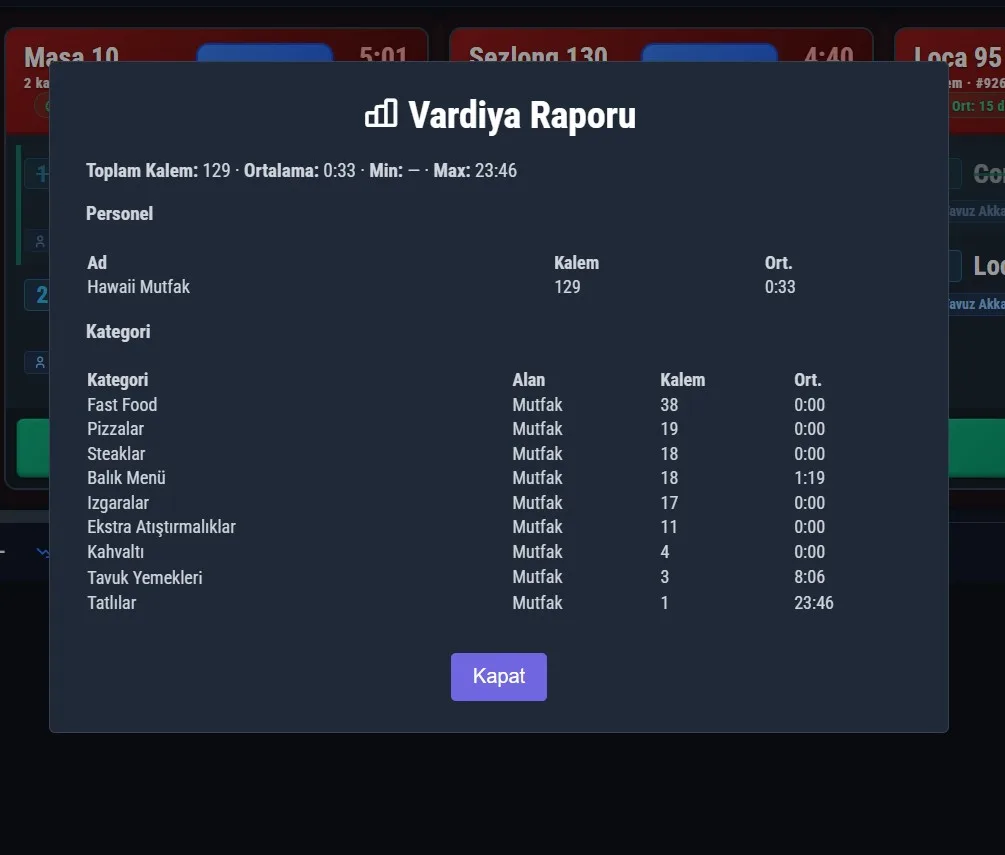
Performance Tracking
How long each product takes to prepare, staff-based report.
The kitchen is the most fragile point of a restaurant: the printer runs out of paper, receipts go unnoticed, and orders get missed during peak hours. ZeyPOS Kitchen Panel (KDS) does not leave the kitchen dependent on a printer — it shows orders on a live screen, announces them audibly, and never misses a delayed order.
The kitchen keeps running even if the printer stops
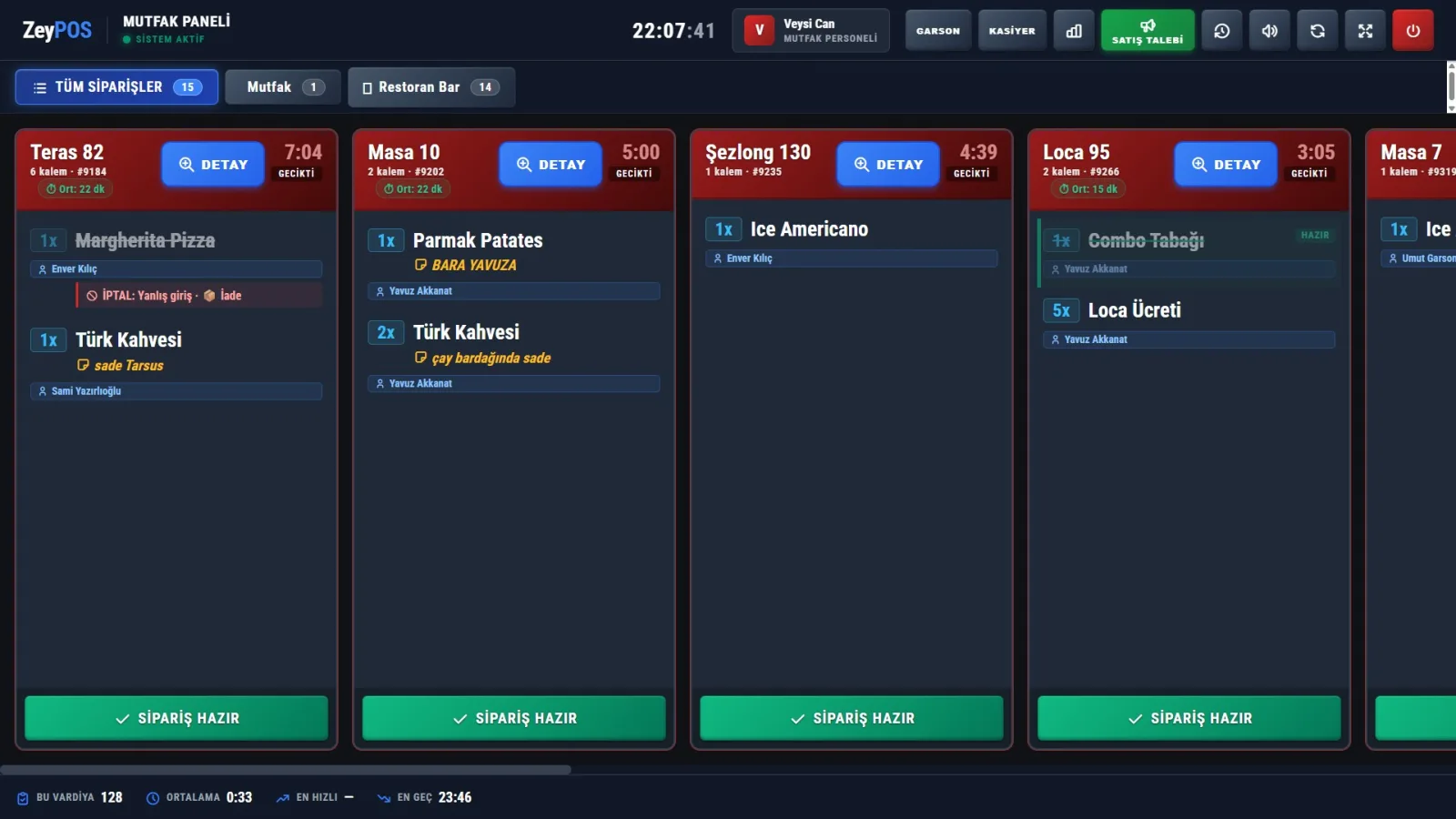
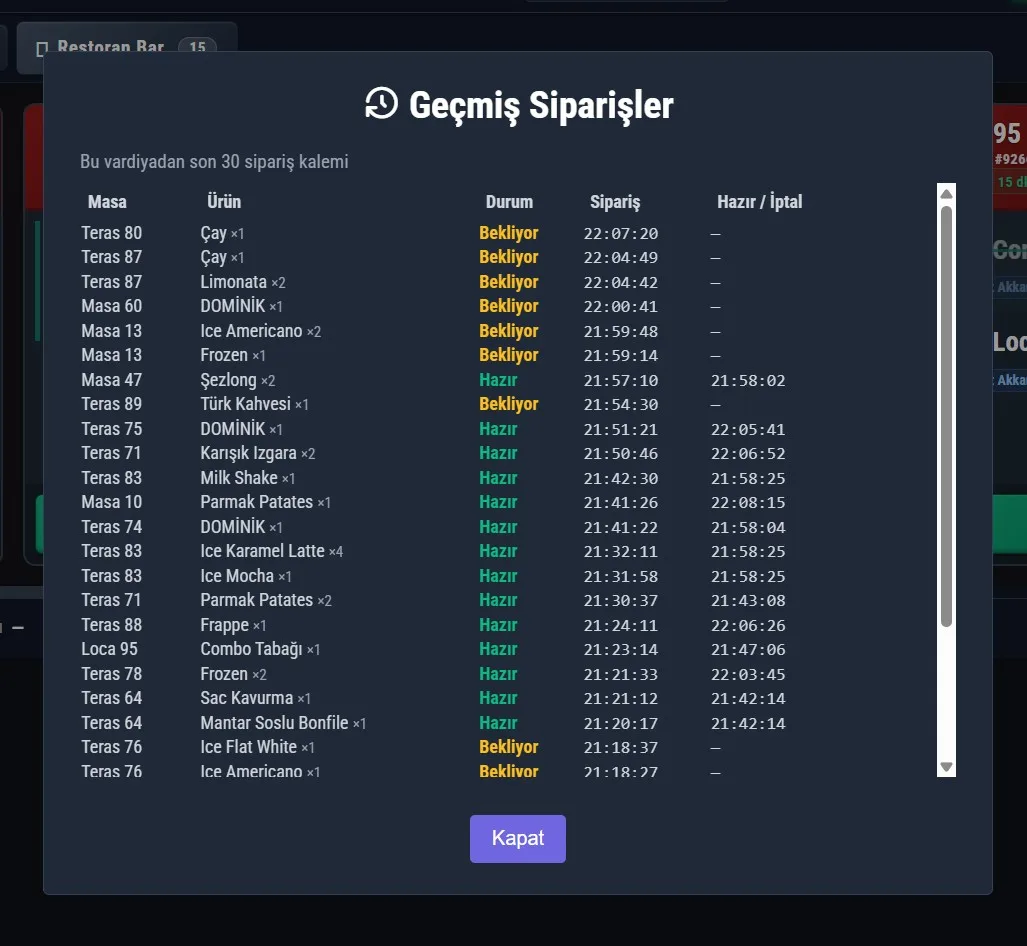
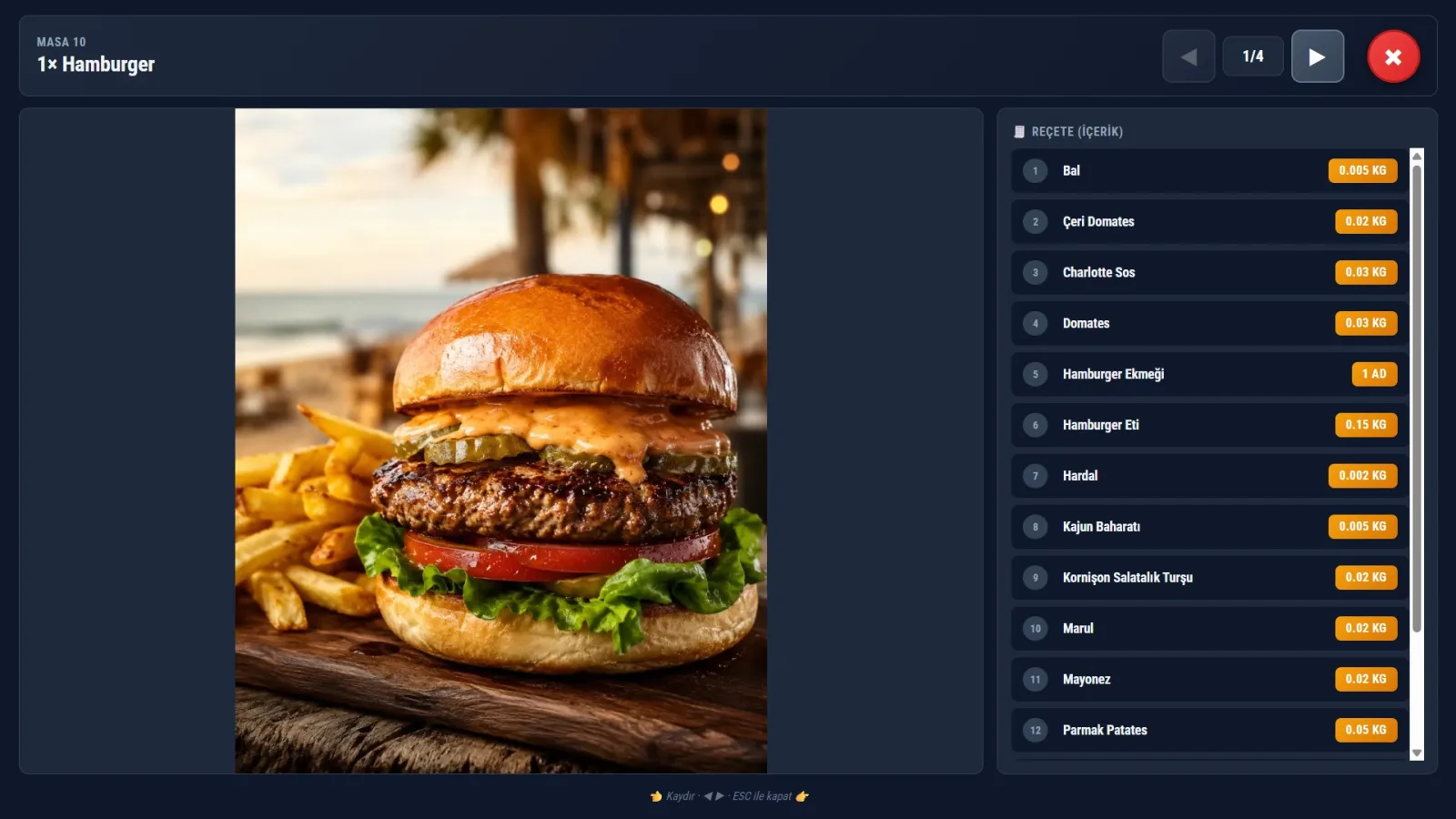
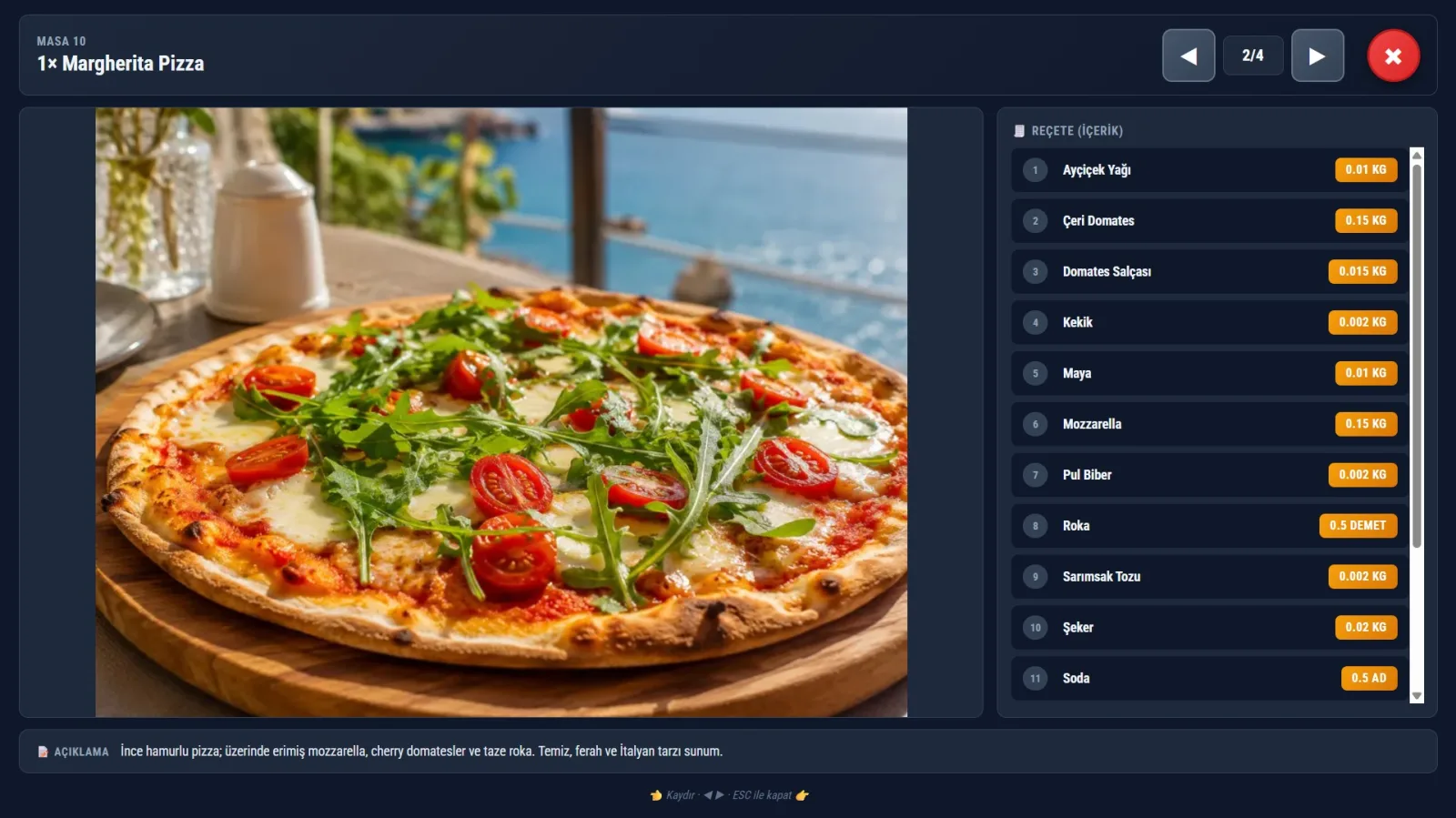
Orders appear live on the kitchen screen; table, waiter, waiting time, recipe, product image, special note, and allergy warning are all in one place. If the printer works, a receipt is printed too; if it does not, the KDS keeps operations going.
- Instant updates — no page refresh, smooth flow
- Large touch buttons, dark theme, text readable from 2 meters away
- One failure cannot stop the entire kitchen
Don’t turn your head — let ZeyPOS speak
"New order for table five: one and a half portions of diced meat."
The AI-powered voice announcement reads the order in natural Turkish. While you are at the counter by the pan, grill, or oven, you can hear what came in without looking at the screen. It even expands the waiter’s abbreviations: "wd extra cheese" → "well done, with extra cheese."
Delayed orders turn red
Each ticket changes color based on elapsed time; once it exceeds the threshold you set, it turns red and starts flashing. No table is forgotten during busy service.
- Yellow → orange → red: status is clear at a glance
- Alarm threshold is configurable according to your business
Everyone sees only their own area
Grill, pizza, dessert, bar... Each staff member sees only the orders for the kitchen area assigned to them. The screen stays simple, with no confusion — while the manager and cashier can see everything.
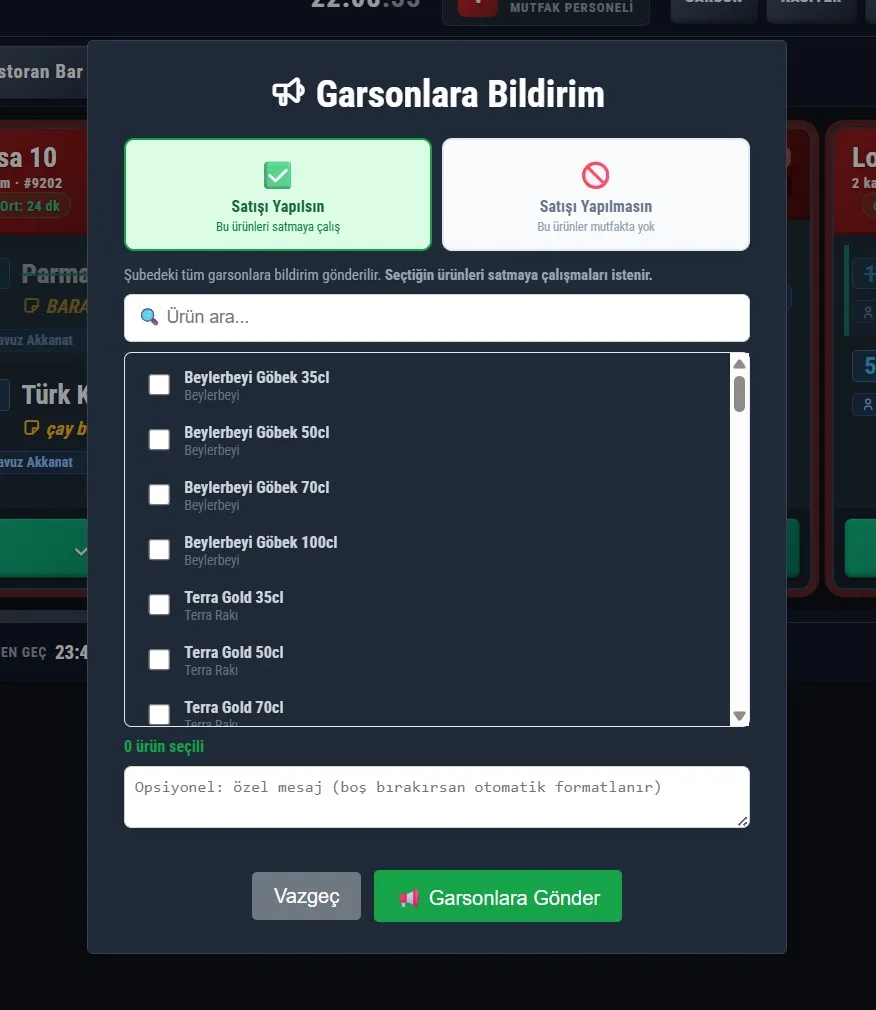
Call with one touch from the kitchen
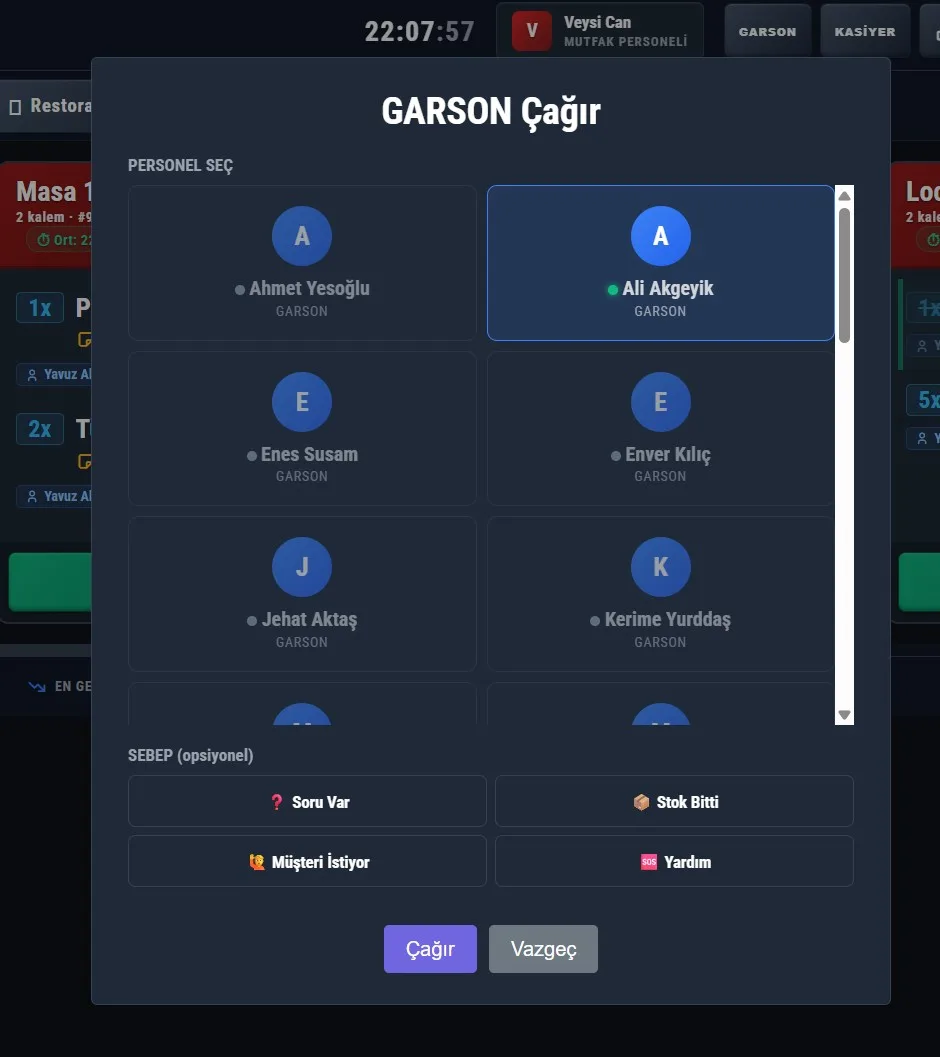
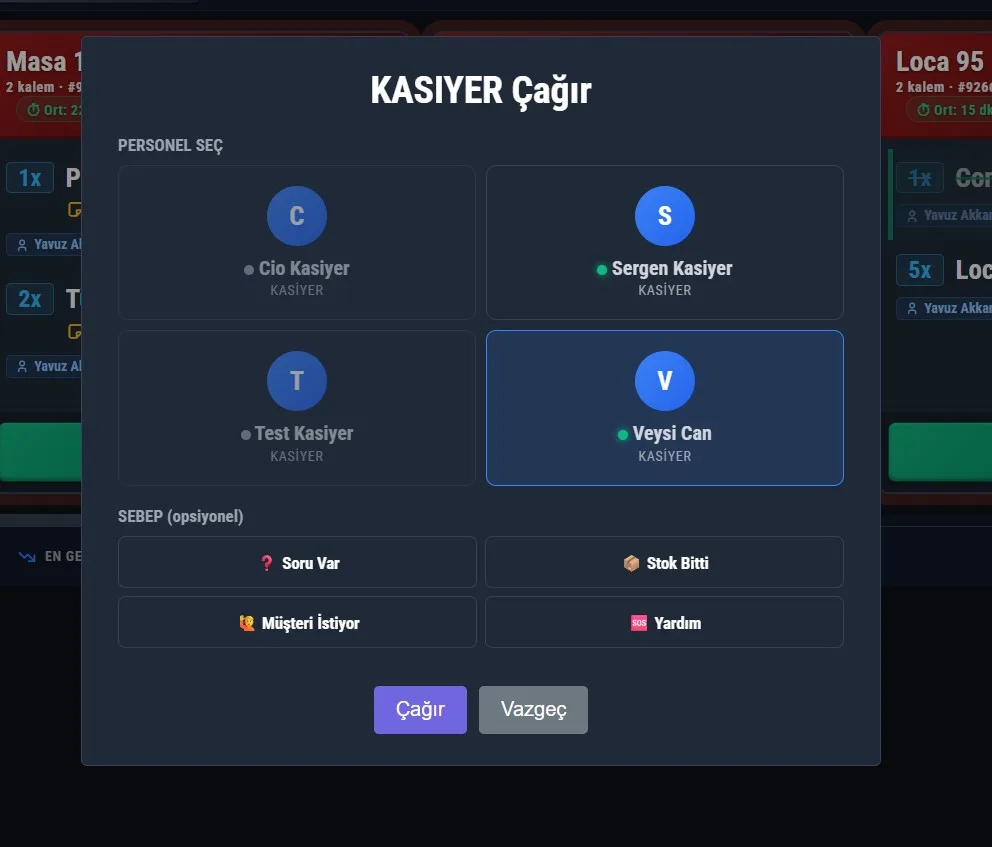
Out of stock, a question, or a customer request? Kitchen staff can call the relevant waiter or cashier with a single tap; the other side receives an instant notification.
Allergy warning is not user experience; it is life safety
The customer-reported allergy is highlighted prominently on the kitchen screen and on the receipt — impossible to miss even during rush hours.
Which dish takes how long?
The preparation time for each item is recorded. At the end of the shift, you can see the average, fastest, and latest times; performance by staff and category — with clarity like "pizza 12 min, salad 4 min."
Usable without training
One-tap sound test at the start of the shift, a 5-second undo if you accidentally press "ready," and a red warning bar if the connection drops. Complexity stays in the background; staff are shown only what they need to do.
In summary, ZeyPOS Kitchen Panel
- Live KDS screen not dependent on a printer
- AI voice order announcements
- Color-coded delay alarm
- Area-based visibility + allergy safety
- Instant kitchen → waiter/cashier call
- Preparation time and staff performance report
Get the App
Screenshots
Changelog
- AI voice announcement that reads orders in natural Turkish
- Kiosk-style, dark-themed touch screen
- Color-coded delay alarm
- Staff-based kitchen area permission
- One-touch waiter/cashier call from the kitchen
Comments
Sign in to comment. Real comments, real people.
Try ZeyPOS in your business
"Leave a request" is over — set it up in minutes with ZeyBOT.